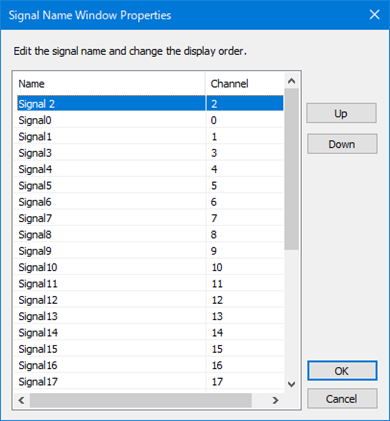
Signal Name Window Properties
In this window, the logical channels corresponding to the data displayed in the graph window and the signal names of each channel are displayed in a tree format.
- Double-click the signal name to edit the name.
- You can change the signal display order by dragging the signal name to the place you want to move.
- You can also edit the signal name and change the signal display order from "Signal Name Window Properties".
To open "Signal Name Window Properties", select "Properties..." from the pop-up menu that appears when you right-click on the window, or select "View"-"Signal Name Window Properties..." from the menu bar.
Signal Name Window Properties
You can edit the signal name by selecting the signal from the list and clicking it again.
You can also change the display order of the selected signals by clicking the "Up" button and "Down" button, respectively.
Click the "OK" button for the changes to take effect. Click the "Cancel" button to return to the original screen without reflecting the changes.