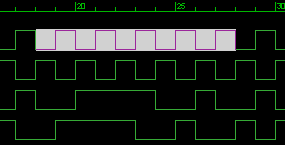
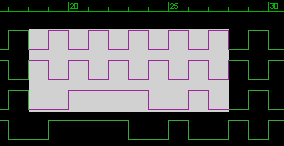
Range selection[1ch × 10clock] Range selection[3ch × 10clock]
You can select the range by entering [Shift + → or ← or ↓ or ↑] while the caret is displayed.
Alternatively, you can drag the mouse to select a range.
You can select all the data for that channel by selecting the signal name in the signal name tree displayed on the left side of the graph.
This function is used for copy and paste when editing data.
Range selection[1ch × 10clock] Range selection[3ch × 10clock]
The following shortcuts are defined for range selection.
Key assignment |
Function |
[Shift + → or ← or ↓ or ↑ ] |
Range selection |
[Shift + Home] |
Select from the current caret position to the channel head data |
[Shift + End] |
Select from the current caret position to the final channel data |
[Shift + PageUp] |
Select in 1-page unit (clock axis direction) |
These functions can also be selected from the following items in the menu.
"Edit(E)"-> "Select"