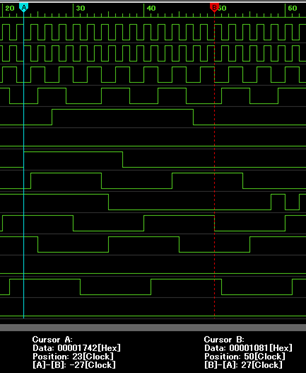
Cursor A, Cursor B Displayed screen
Cursor A, Cursor B Displayed screen
The light blue vertical line is the cursor A, and the red vertical line is the cursor B.
At the bottom of the graph, the cursor position data [hexadecimal notation], the cursor position, and the distance between the cursors A and B are displayed.
You can check any clock position data by selecting and dragging the part displayed as "A" or "B" at the top of the cursor.
You can switch between showing and hiding cursor from the menu below.
"View(V)"-"Cursor A(A)" or "Cursor B(B)"