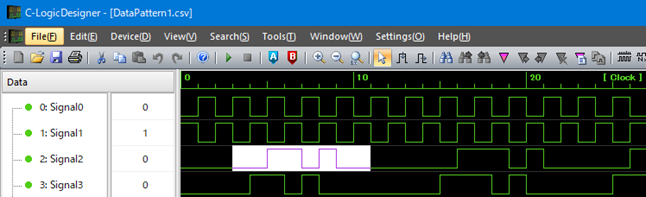
If you want to use "Data pattern of arbitrary length for one channel in the horizontal axis/clock axis direction" for the data to be searched, select "Clock / Horizontal Axis" in "Search Data Type (Direction)".
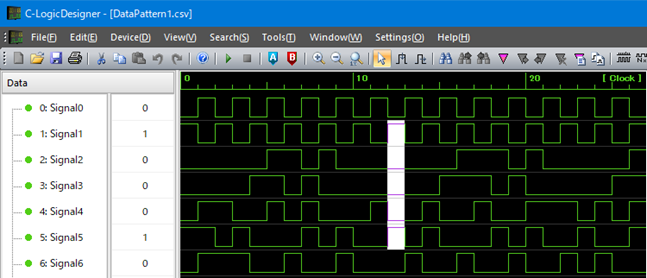
If you want to use "Data pattern of arbitrary length in the vertical axis/channel axis direction (1 clock width)" for the data to be searched, select "Channels In Graph's Order / Vertical Axis" in "Search Data Type (Direction)".
If you select the data pattern to search before opening the dialog, the selected data will be set as the search data in the search dialog.
[Clock / Horizontal Axis direction data selection example]
[Channels In Graph's Order / Vertical Axis data selection example]
Select the radix of the search data from binary or hexadecimal in "Radix".
Enter the search data according to the selected radix.
Click "Search Next" to search forward of "Clock axis / Horizontal axis" under the specified conditions.
Click "Search Previous" to search backward of "Clock axis / Horizontal axis" under the specified conditions.
When matching data is found, the corresponding data is selected on the graph window.
Once you execute the search, you can search the previous and next data under the same conditions.
[Search Next]
Route |
Operation |
Menu |
“Search(S)”-” Search Next(F3)” |
Toolbar |
|
Shortcut key |
F3 |
[Search Previous]
Route |
Operation |
Menu |
“Search(S)”-” Search Previous(Shift + F3)” |
Toolbar |
|
Shortcut key |
Shift + F3 |

