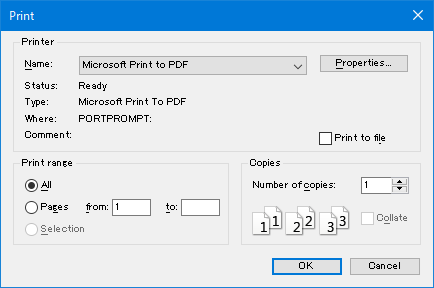
Route
Operation
Menu
[File(F)]-[Print(P)]
Toolbar

Shortcut key
Ctrl + P
Prints the data displayed in the graph window.
Prints the data displayed in the selected graph window.
[Print]
Route |
Operation |
Menu |
[File(F)]-[Print(P)] |
Toolbar |
|
Shortcut key |
Ctrl + P |
[Print dialog]
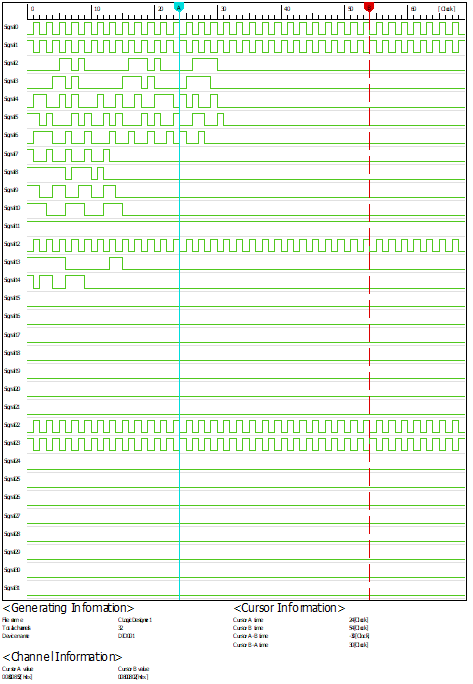
Preview the image you want to print.
[Print Preview]
Route |
Operation |
Menu |
[File(F)]-[Print Preview] |
[Preview example]
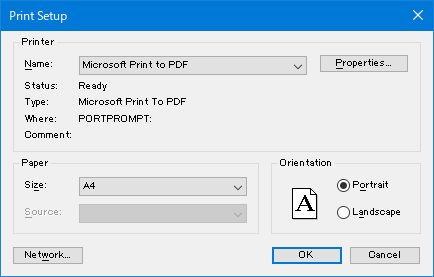
Set the paper size and orientation.
[Print Setup]
Route |
Operation |
Menu |
[File(F)]-[Print Setup…] |
[Print Setup dialog]