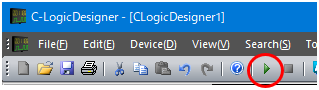
Start Device Operation button
Click the "Start Device Operation" button from the toolbar to start sampling under the specified conditions.
Start Device Operation button
The operating status of the device is displayed at any time in the "status window" at the bottom left.
According to the setting made in "Set sampling conditions", sampling for
1000 points is performed at 10ms intervals, and then stopped.