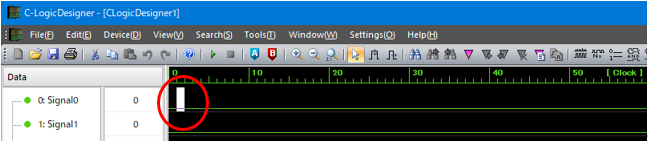
Editable screen
If you click and select the graph window in the center of the screen, a caret will be displayed at that position and you will be able to edit the pulse pattern data.
Editable screen
In this state, you can directly change the data by pressing the "1" and "0" keys on the keyboard.
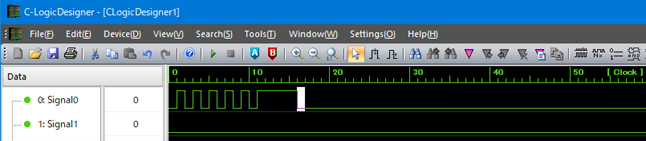
Screen after data editing
You can also invert the data at the position clicked with the mouse by clicking the "Invert Bit" button from the toolbar to select it.
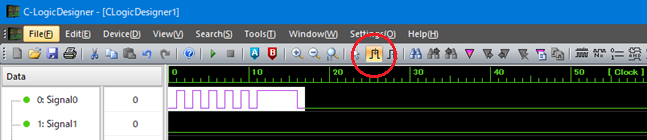
Select the bit inversion mode and select the range screen (before data
inversion)
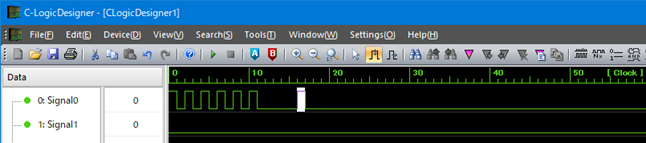
Screen after data inversion
If you click the "Bit Shift" button from the toolbar to select it, you can also change the pulse width of the data at the position clicked with the mouse by dragging the mouse.
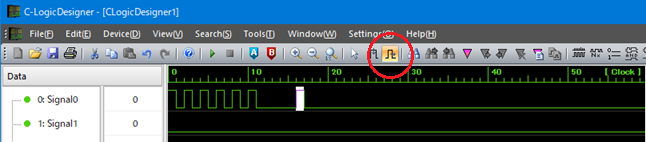
Screen during data selection by selecting bit shift mode (before bit shift)
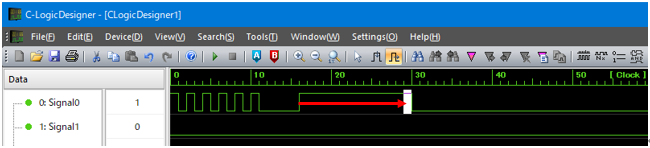
Screen after bit shift
For details on how to edit the data, please refer to the section "Editing pulse pattern data".